
Poor-Quality Documents and Photograph Errors in an Azerbaijan Evisa Application
Businesses / Posted 1 day ago by eservices network / 10 views / New
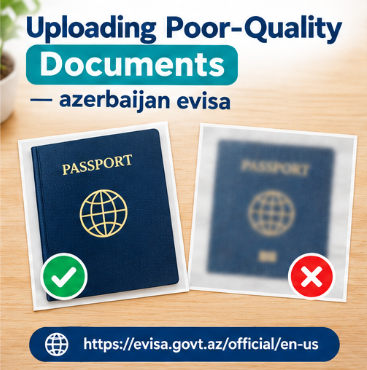
Digital visa applications allow travellers to submit information remotely, but the quality of uploaded documents remains important. A passport scan that is too dark, a cropped page, or an unreadable image can prevent essential information from being verified.
Travellers planning a visit to Azerbaijan should therefore check both the content and the technical quality of their files before submitting an application.
Why Image Quality Matters
Electronic visa systems rely on the information supplied by applicants. If a scanned passport page cannot be read by Azerbaijan’s ASAN Visa system, the official conditions state that the application may be rejected. Applicants are responsible for ensuring that the scanned travel document is accurate and readable.
When preparing an azerbaijan evisa application, do not treat document uploading as a minor technical step. The quality of the file can affect whether the required information is available for assessment.
Mistake 1: Taking a Blurry Passport Photograph
Photographing a passport in poor lighting can make numbers and letters difficult to distinguish. Reflections from overhead lights or movement during photography can also reduce clarity.
Place the document on a flat surface, use even lighting, and ensure that the camera focuses on the information page. Zoom in on the resulting image to check that the details remain readable.
Mistake 2: Cropping the Passport Page
Applicants sometimes crop an image to reduce its size, accidentally removing part of the passport or important identifying information.
Keep the full requested page visible and follow the upload instructions. Avoid cutting off the edges or obscuring printed details.
A clear scan is particularly important when submitting an azerbaijan evisa application, because incorrect or unreadable information can create unnecessary complications.
Mistake 3: Uploading the Wrong File
Selecting a photograph from the wrong folder can result in an unrelated image or an outdated passport being submitted. Before uploading, check the filename and open the document to confirm its contents.
If the application requests a specific page, make sure that page is provided rather than a passport cover or unrelated travel document.
Mistake 4: Using Unsupported File Formats
An image may be perfectly readable but still fail to upload if it does not meet the system’s technical requirements. Check the accepted file formats and any stated size limits before converting or compressing a document.
After conversion, open the file again to ensure that the text remains sharp and no information has disappeared.
Mistake 5: Altering Official Documents
Applicants should never change passport numbers, dates, names, or other official information to improve the appearance of a document. If a scan is unclear, make a new copy from the genuine document.
Submitting false or incomplete information can cause application problems under Azerbaijan’s official electronic visa conditions.
How to Check Your Uploads
Before using an azerbaijan e visa application service, prepare a folder containing the required files. Give each file a clear name and check it against the current instructions.
Applicants researching azerbaijan visa online apply options should also make sure they are using the appropriate application channel and not relying on an outdated document checklist.
A final review should confirm that every file belongs to the correct applicant, contains all requested information, and is readable when opened on a computer or phone.
Travellers looking for azerbaijan visa online guidance should remember that successful file uploading is not the same as visa approval. The application must still satisfy the relevant requirements.
Conclusion
Clear, complete documents help prevent avoidable technical problems. By checking images, using accepted formats, and avoiding alterations, applicants can submit a more reliable application. Taking a few extra minutes to review each file may save time and reduce stress as the departure date approaches.
- Listing ID: 113955
- Country: USA